
English Русский
Български
Беларускі
Український
Српски
Hrvatski
Română
Polski
Slovenský
Magyar
| Articles | Contacts | Sitemap |   
Repair and maintenance Lada Repair and maintenance Mazda Repair and maintenance Mitsubishi Repair and maintenance Toyota Repair and maintenance Land Rover Repair and maintenance Hyundai Repair and maintenance Nissan
VAZbook.ru


Main     1111   2101   2105   2106   2107   2109   2110   2115   2121  
VAZ-2108 (1984-2003) VAZ-2109 (1984-1997) VAZ-21099 (1990-2004)
  • Main
  • «Sputnik»
  • VAZ-21099
  • Chassis
  • Steering
  • Steering mechanism

Steering mechanism (VAZ-21099)

            0

Note:
  • Set the wheels so that the vehicle moves straight ahead.
  • The protective cover can be replaced without removing the steering mechanism from the vehicle.
  • To make installation of rubber pads easier, wet them with soapy water.

To make installation of rubber pads easier, wet them with soapy water.


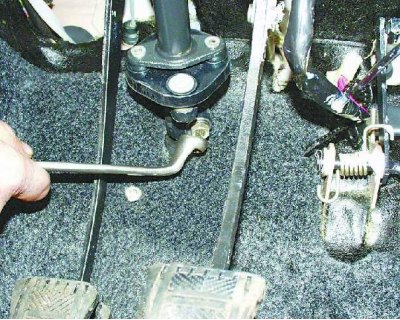
1. From inside the passenger compartment, unscrew the steering shaft coupling flange clamp bolt.

1. From inside the passenger compartment, unscrew the steering shaft coupling flange clamp bolt.
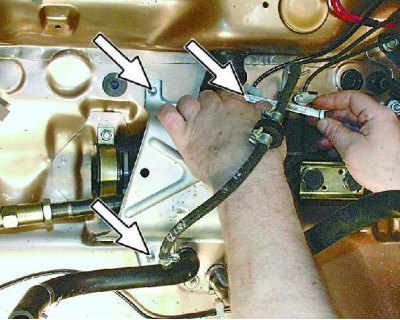

2. From inside the engine compartment, unscrew the three mounting nuts and remove the protective cover.
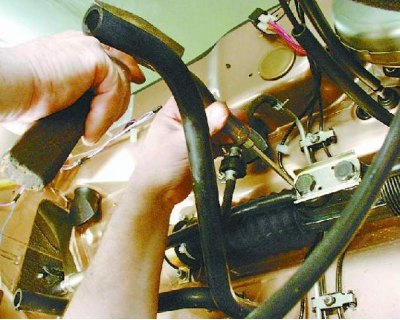
2. From inside the engine compartment, unscrew the three mounting nuts and remove the protective…


3. Loosen the bolts securing both steering rods to the steering gear by bending back the ends of the locking plate with a screwdriver.
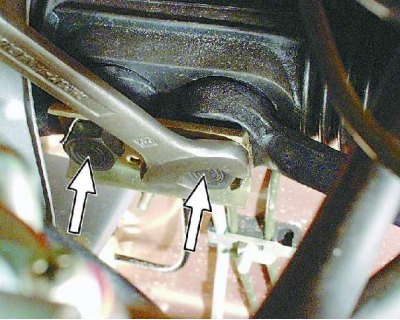


3. Loosen the bolts securing both steering rods to the steering gear by bending back the ends of…


4. Loosen both bolts and then remove the steering rod mounting bolt.
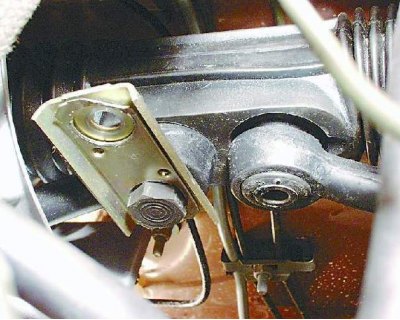
4. Loosen both bolts and then remove the steering rod mounting bolt.


5. Rotate the coupling plate so that the rod can be disconnected from the steering gear.

The article is copied from the website (www.vazbook.ru)
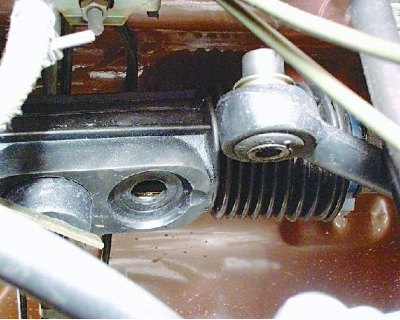
5. Rotate the coupling plate so that the rod can be disconnected from the steering gear.


6. Disconnect the steering rod from the steering mechanism.
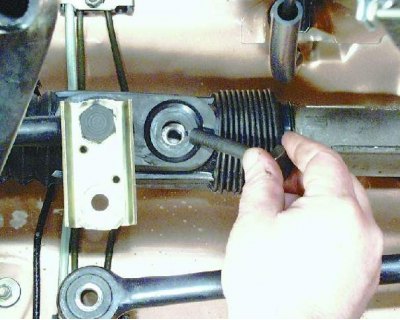
6. Disconnect the steering rod from the steering mechanism.


7. Tighten the tie rod mounting bolt into the mechanism to prevent the rack from shifting.
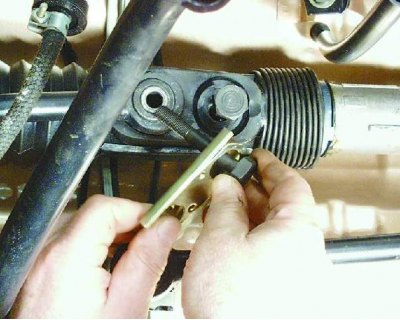

7. Tighten the tie rod mounting bolt into the mechanism to prevent the rack from shifting.


8. Loosen the other mounting bolt and disconnect the second rod. Tighten the bolt.
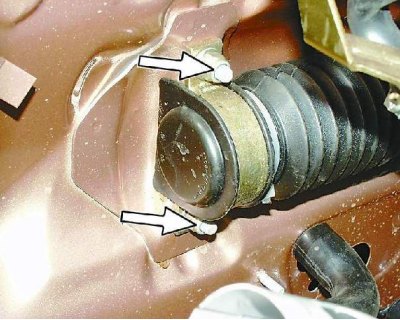
8. Loosen the other mounting bolt and disconnect the second rod. Tighten the bolt.


9. Loosen the two steering gear mounting nuts on both sides and disconnect the drive gear shaft from the steering shaft.
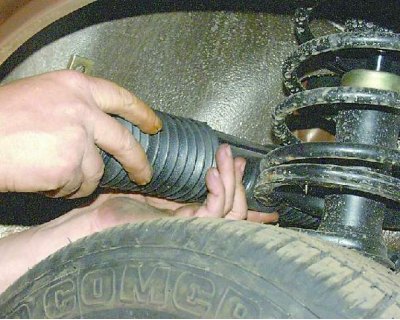
9. Loosen the two steering gear mounting nuts on both sides and disconnect the drive gear shaft…


10. Remove the steering mechanism through the hole under the steering rod in the right wheel well.
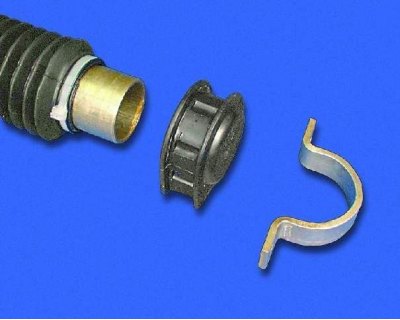
10. Remove the steering mechanism through the hole under the steering rod in the right wheel well.


11. Replace torn, cracked or loose cushions and covers.
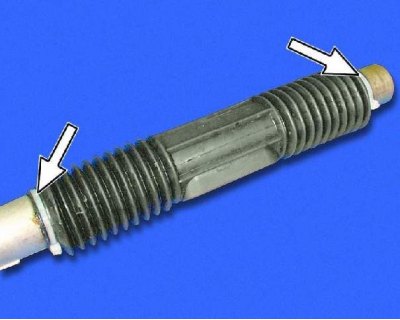
11. Replace torn, cracked or loose cushions and covers.


12. To replace the protective cover, cut the plastic ties (they are disposable).
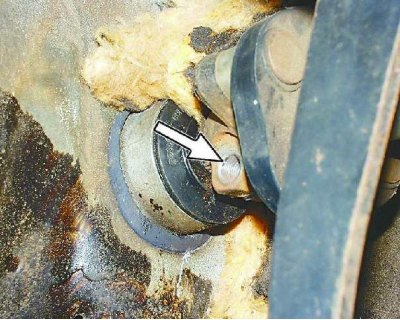
12. To replace the protective cover, cut the plastic ties (they are disposable).


13. Install the steering gear in the reverse order of removal. Before installing, make sure that the flat on the steering gear drive pinion shaft and the hole for the tie bolt on the shaft match.
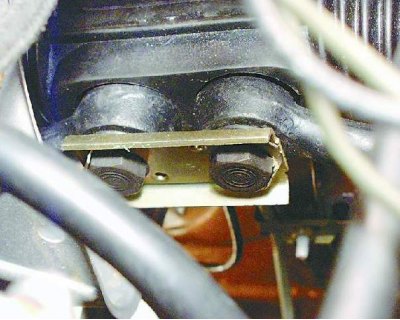
13. Install the steering gear in the reverse order of removal. Before installing, make sure that…


14. After installation, do not forget to lock the rod mounting bolts by bending the ends of the locking plate.


This article is available at russian, bulgarian, belarusian, ukrainian, serbian, croatian, romanian, polish, slovak, hungarian
The text was reviewed by the specialist: Grigory Vologodtsev

Share with friends:

Previous articles
VAZ-21099: Steering
Next articles

Steering column — removal and installation
Steering wheel — removal and installation
Replacing steering rods

More articles from other manuals on VAZ cars:
➠ Disassembling the steering mechanism VAZ-1111 (1988-1996)
➠ Disassembly and assembly of the steering mechanism VAZ-2101 (1970-1983)
➠ Steering — checking the technical condition and adjusting the… VAZ-2104 (1984-2012)
➠ Steering — checking the technical condition and adjusting the… VAZ-2106 (1976-2006)
➠ Steering — checking the technical condition and adjusting the… VAZ-2107 (1982-2012)
Link in different formats to this page


Visitor comments

No comments yet


How much will 34 + 16 ?


VAZ-21099 (1990-2004) 
  • General information
  • Specifications
  • User manual
  • Maintenance
  • Car care
  • Troubleshooting
  • Power unit
  • Engine repair
  • Cooling and lubrication system
  • Power and exhaust system
  • Transmission
  • Car gearbox
  • Clutch and drive shafts
  • Chassis
  • Car suspension
  • Steering
  • Brake system
  • Body
  • Exterior
  • Interior
  • Doors and locks
  • Electrical equipment
  • Equipment and devices
  • Lighting and signaling
  • Engine electrics
  • Ignition system


VAZ-2109 (1984-1997) 
  • General information
  • Vehicle operation
  • Vehicle device
  • Power unit
  • Engine repair
  • Cooling and lubrication system
  • Supply system
  • Transmission
  • Clutch
  • Gearbox and drive
  • Chassis
  • Car suspension
  • Steering
  • Brake system
  • Body
  • Body elements
  • Electrical equipment
  • Engine electrics
  • Equipment and devices


VAZ-2108 (1984-2003) 
  • General information
  • Introduction to guide
  • Power unit
  • Engine repair
  • Cooling and lubrication system
  • Power and exhaust system
  • Transmission
  • Clutch and drive shafts
  • Car gearbox
  • Chassis
  • Front suspension
  • Rear suspension
  • Steering
  • Brake system
  • Body
  • Exterior
  • Interior
  • Doors and glass
  • Electrical equipment
  • Equipment and devices
  • Engine electrics
  • Ignition system


VAZbook.ru © 2017 · Mobile version · Contact with administration · Sitemap: EN BG BY UA RS HR RO PL SK HU · Site search · News and articles VAZ-1111 · VAZ-11113 · VAZ-2101 · VAZ-21011 · VAZ-2104 · VAZ-2105 · VAZ-21051 · VAZ-2106 · VAZ-21061 · VAZ-2107 · VAZ-21099 · VAZ-2109 · VAZ-2108 · VAZ-2110 · VAZ-2112 · VAZ-2114 · VAZ-2115 · VAZ-2121 · VAZ-21213 · VAZ-21214 ·
The site stores technical data using cookies to improve the service.