English Русский
Български
Беларускі
Український
Српски
Hrvatski
Română
Polski
Slovenský
Magyar
| Articles | Contacts | Sitemap |   
Repair and maintenance Lada Repair and maintenance Mazda Repair and maintenance Mitsubishi Repair and maintenance Toyota Repair and maintenance Land Rover Repair and maintenance Hyundai Repair and maintenance Nissan
VAZbook.ru


Main     1111   2101   2105   2106   2107   2109   2110   2115   2121  
VAZ-2108 (1984-2003) VAZ-2109 (1984-1997) VAZ-21099 (1990-2004)
  • Main
  • «Sputnik»
  • VAZ-21099
  • Electrical equipment
  • Equipment and devices
  • Instrument panel (high)

Instrument panel (high) (VAZ-21099)

            0

Disconnect the wire from the "-" terminal of the battery. Set the wheels to the straight-ahead position.

Disconnect the rod from the carburetor choke drive lever and the speedometer drive cable from the gearbox.
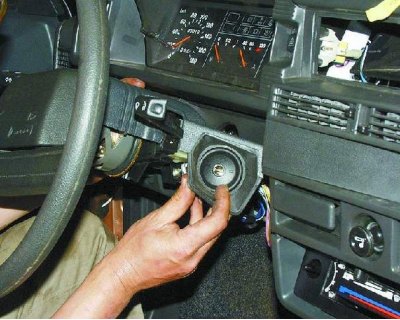
Disconnect the rod from the carburetor choke drive lever and the speedometer drive cable from the…


Ignition switch trim.

Ignition switch trim.


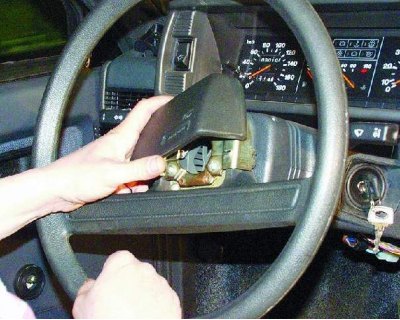
1. Remove the steering wheel trim.
1. Remove the steering wheel trim.


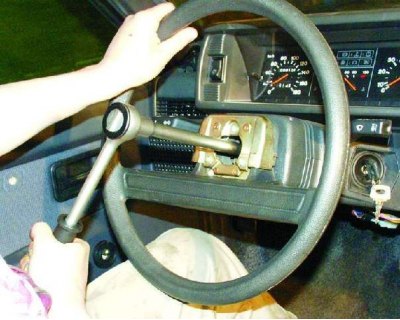
2. Loosen the steering wheel mounting nut so that the end of the nut is flush with the end of the steering column shaft.
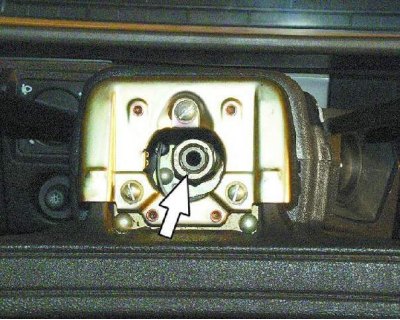


2. Loosen the steering wheel mounting nut so that the end of the nut is flush with the end of the…


The steering wheel fits very tightly on the shaft splines, so do not unscrew the wheel mounting nut immediately: in the event of a sharp impact, the steering wheel may jump off the splines and cause injury. Mark the position of the steering wheel relative to the shaft.
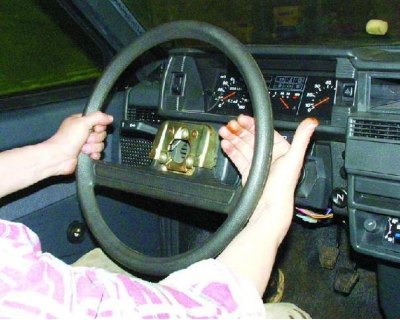
The steering wheel fits very tightly on the shaft splines, so do not unscrew the wheel mounting nut…


3. Use sharp blows of your hand to knock the steering wheel off the splines of the steering shaft.
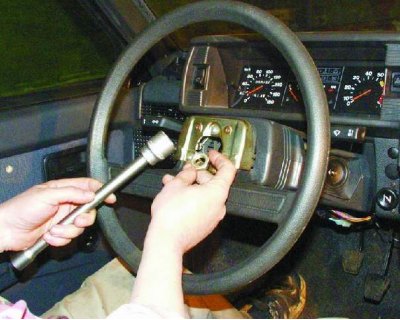
3. Use sharp blows of your hand to knock the steering wheel off the splines of the steering shaft.


4. Finally, loosen the nut and remove the steering wheel.

4. Finally, loosen the nut and remove the steering wheel.


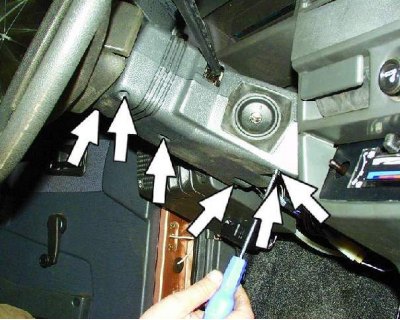
5. Remove the six screws securing the lower steering column cover.
5. Remove the six screws securing the lower steering column cover.


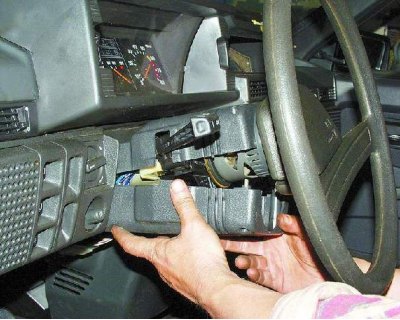
6. Remove the lower steering column cover and ignition switch trim.
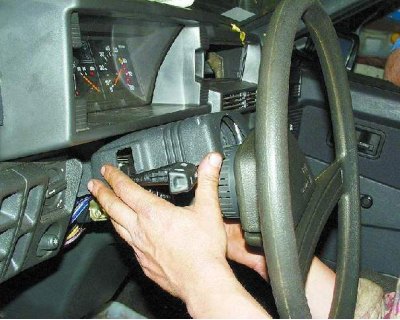
6. Remove the lower steering column cover and ignition switch trim.


7. Remove the upper steering column cover.
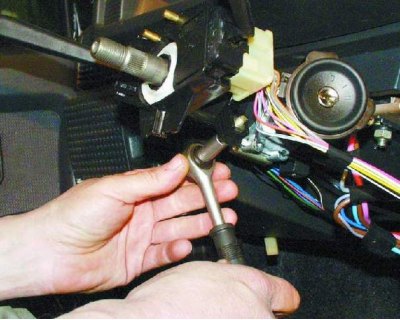
7. Remove the upper steering column cover.


8. Loosen the bolt securing the base of the steering column switches.
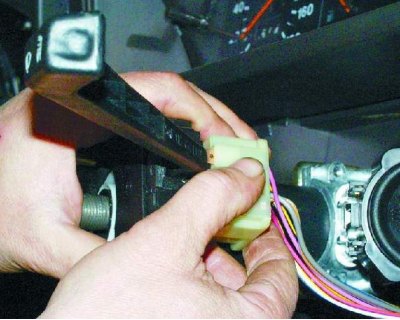
8. Loosen the bolt securing the base of the steering column switches.


9. Remove the base from the shaft and disconnect the two wire connectors from the horn contacts.

9. Remove the base from the shaft and disconnect the two wire connectors from the horn contacts.
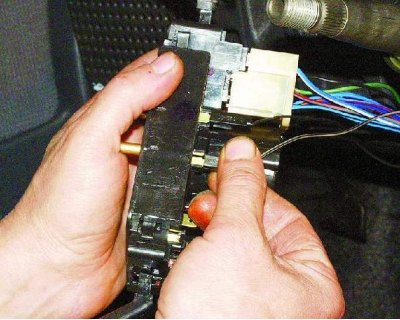

10. Disconnect the wiring harness from the windshield wiper and washer switch lever.
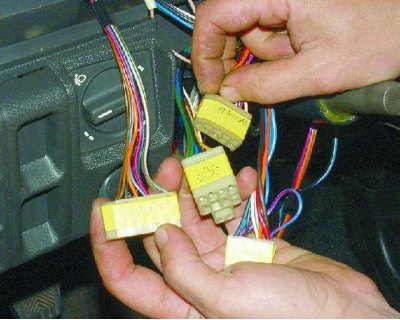
10. Disconnect the wiring harness from the windshield wiper and washer switch lever.


When disconnecting the pads with wires, we recommend marking them. This will avoid confusion during assembly and save your time.
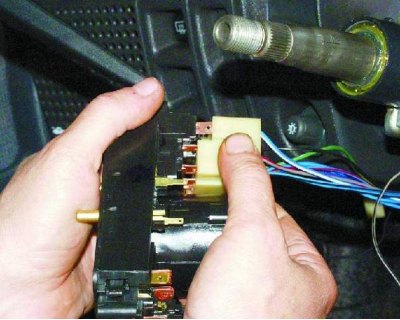
When disconnecting the pads with wires, we recommend marking them. This will avoid confusion during…


11. Disconnect the wiring harness from the turn signal and headlight switch lever.
11. Disconnect the wiring harness from the turn signal and headlight switch lever.


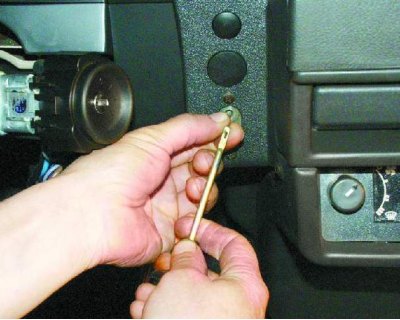
12. Pull the carburetor air damper handle (choke) towards you until a draft appears, and remove the handle from it.
12. Pull the carburetor air damper handle (choke) towards you until a draft appears, and remove the…


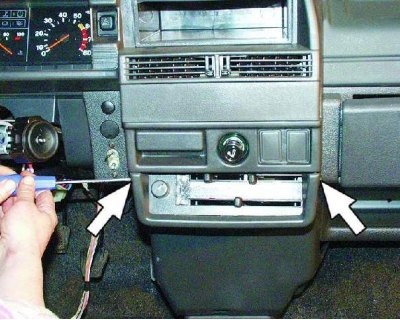
13. Remove the two screws securing the instrument panel console trim.
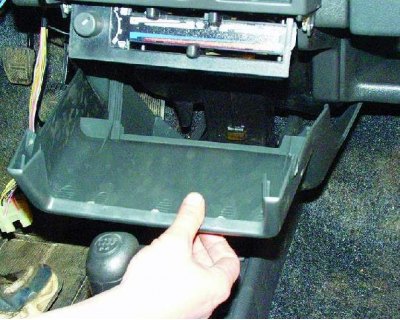
13. Remove the two screws securing the instrument panel console trim.


14. Remove the trim from the console.
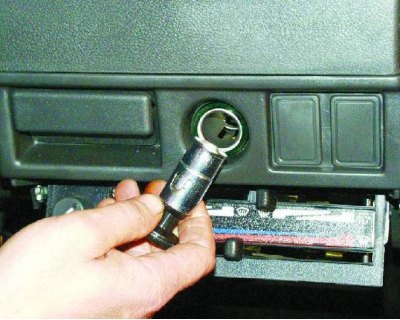
14. Remove the trim from the console.


15. Remove the cigarette lighter socket from the socket.
15. Remove the cigarette lighter socket from the socket.


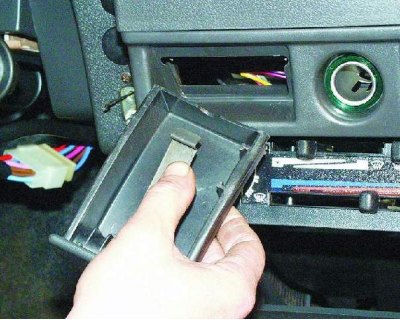
16. Remove the ashtray from the slot by pressing on the cigarette extinguisher plate.
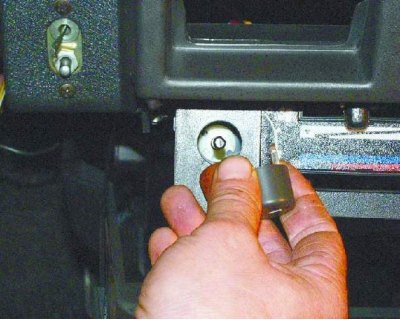
16. Remove the ashtray from the slot by pressing on the cigarette extinguisher plate.


17. Remove the heater fan switch handle.
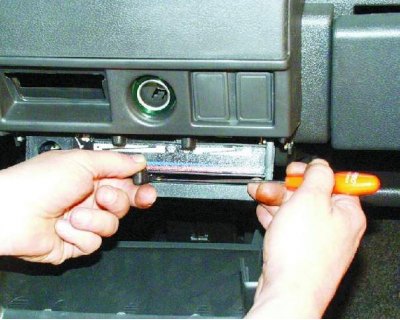
17. Remove the heater fan switch handle.


18. Remove the three heater control knobs by prying them off with a screwdriver.
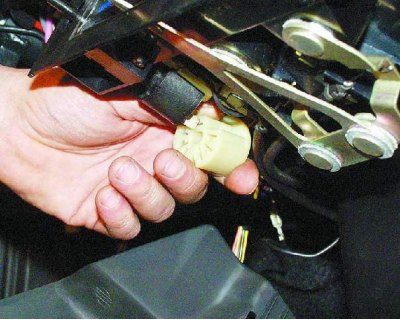
18. Remove the three heater control knobs by prying them off with a screwdriver.


19. Disconnect the wiring harness from the heater fan switch under the heater control panel.
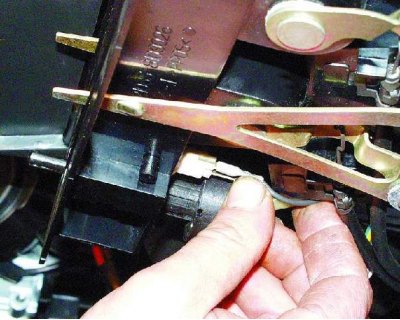
19. Disconnect the wiring harness from the heater fan switch under the heater control panel.


20. Disconnect the two wires from the heater control panel backlight lamp contacts.
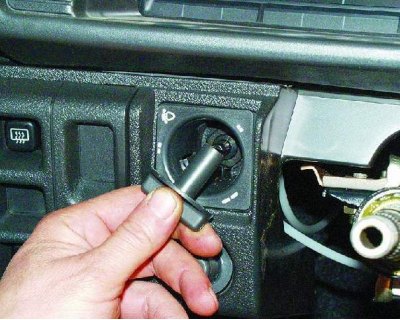
20. Disconnect the two wires from the heater control panel backlight lamp contacts.


21. Remove the headlight range control knob by pulling it towards you.
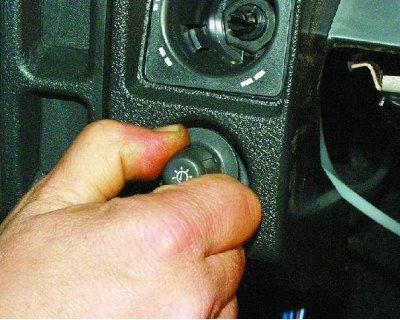
21. Remove the headlight range control knob by pulling it towards you.


22. Remove the instrument cluster light switch handle.
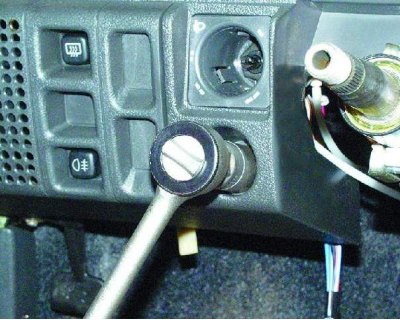
22. Remove the instrument cluster light switch handle.


23. Loosen the instrument cluster light switch mounting nut.
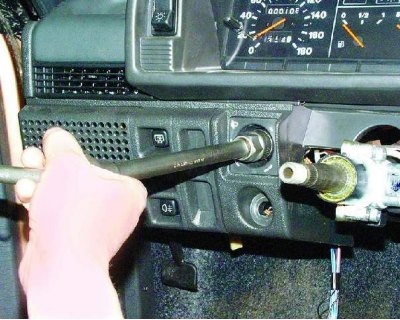
23. Loosen the instrument cluster light switch mounting nut.


24. Loosen the headlight range control mounting nut.
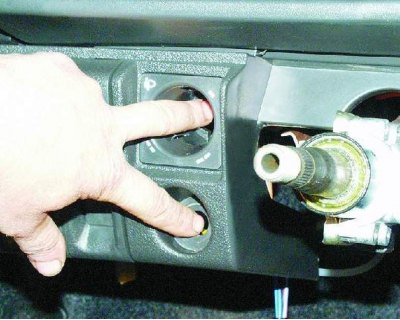
24. Loosen the headlight range control mounting nut.


25. Push the instrument cluster light switch and headlight range control into the panel.
25. Push the instrument cluster light switch and headlight range control into the panel.


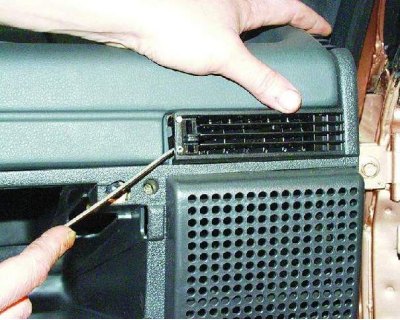
26. Remove the side nozzles on both sides of the instrument panel using a screwdriver.
26. Remove the side nozzles on both sides of the instrument panel using a screwdriver.


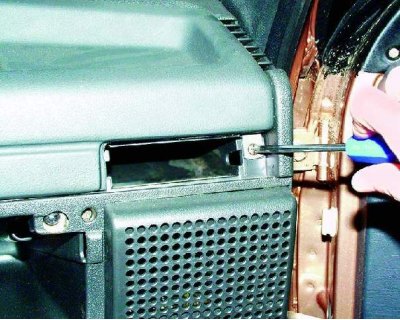
27. Remove one screw securing the trim on both sides of the instrument panel.
27. Remove one screw securing the trim on both sides of the instrument panel.


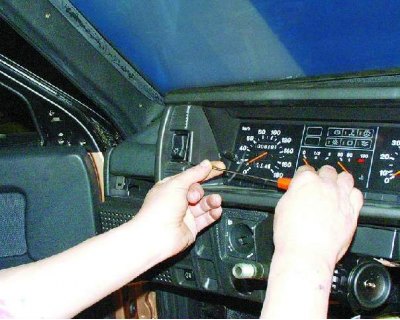
28. Use a screwdriver to pry the exterior lighting switch out of the panel.
28. Use a screwdriver to pry the exterior lighting switch out of the panel.


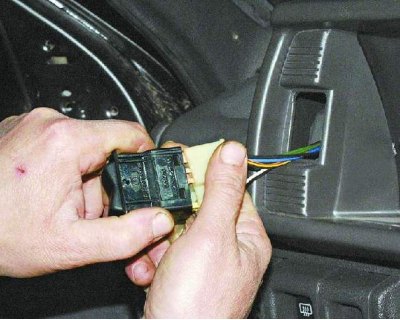
29. Disconnect the wiring harness from the exterior lighting switch. Push the harness into the instrument panel.
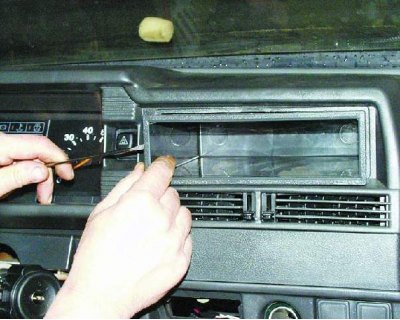
29. Disconnect the wiring harness from the exterior lighting switch. Push the harness into the…


30. Use a screwdriver to pry up and remove the radio socket. If the car has radio equipment, remove it first.
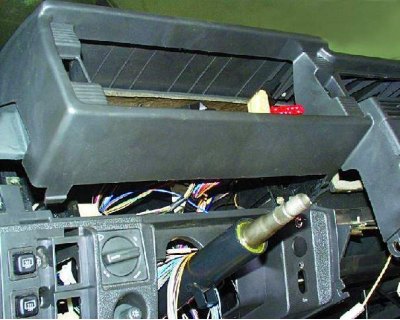
30. Use a screwdriver to pry up and remove the radio socket. If the car has radio equipment, remove…


Remove radio equipment in accordance with the manufacturer's instructions.
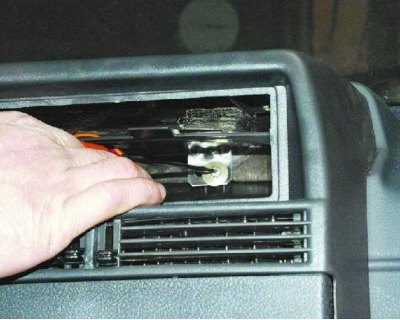
Remove radio equipment in accordance with the manufacturer's instructions.


31. Loosen the instrument panel trim mounting screw.
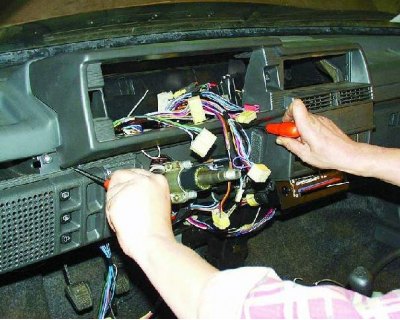
31. Loosen the instrument panel trim mounting screw.


32. Insert two screwdrivers to pry up the plastic tabs.
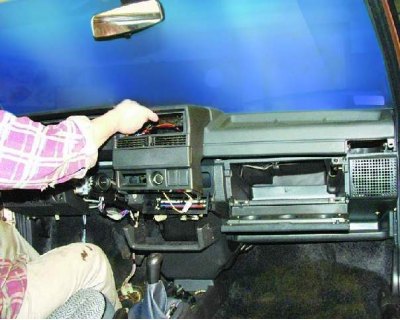
32. Insert two screwdrivers to pry up the plastic tabs.


33. Lift up the instrument panel trim.
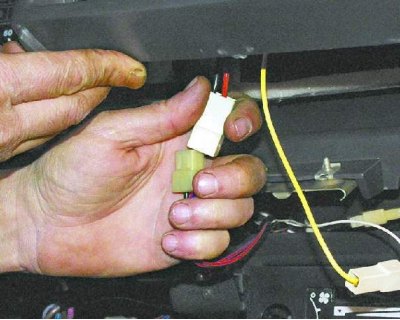
33. Lift up the instrument panel trim.


34. Disconnect the wiring harness from the cigarette lighter connector.
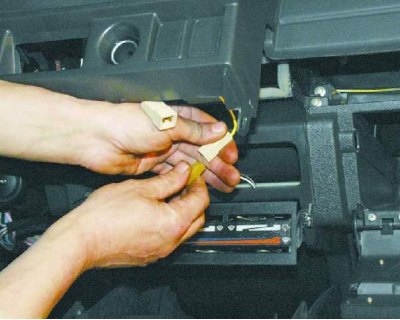
34. Disconnect the wiring harness from the cigarette lighter connector.


35. Disconnect the wiring harness from the cigarette lighter light harness.
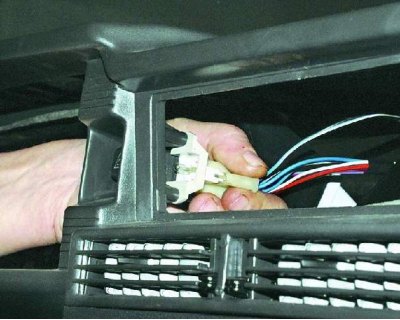
35. Disconnect the wiring harness from the cigarette lighter light harness.


36. Disconnect the wiring harness from the hazard warning light switch lamp.
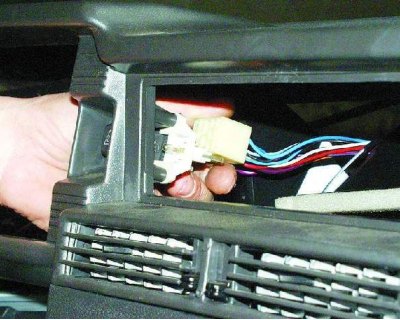
36. Disconnect the wiring harness from the hazard warning light switch lamp.


37. Disconnect the wiring harness from the hazard warning switch and remove the instrument panel trim completely.
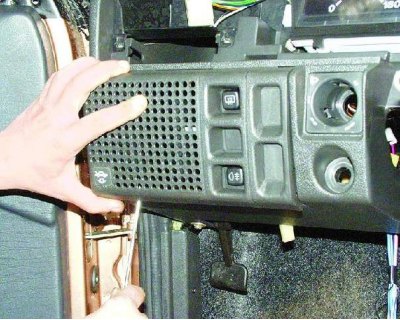
37. Disconnect the wiring harness from the hazard warning switch and remove the instrument panel…


38. Carefully push down and remove the speaker trim from the left side of the instrument panel. Be careful - the latches break off easily.
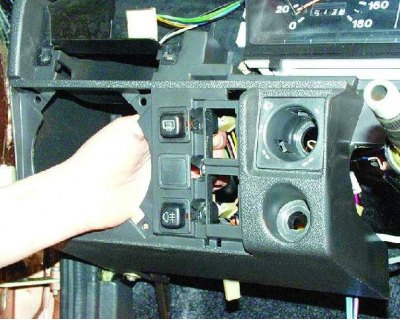
38. Carefully push down and remove the speaker trim from the left side of the instrument panel. Be…


39. Disconnect the wiring harness from the rear window heating switch.
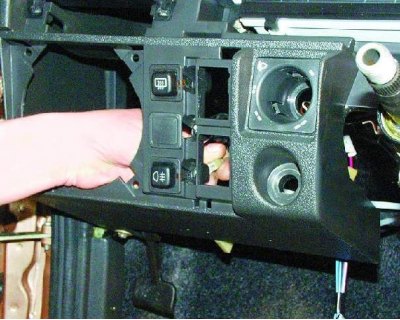
39. Disconnect the wiring harness from the rear window heating switch.


40. Remove the connector from the rear fog light switch.
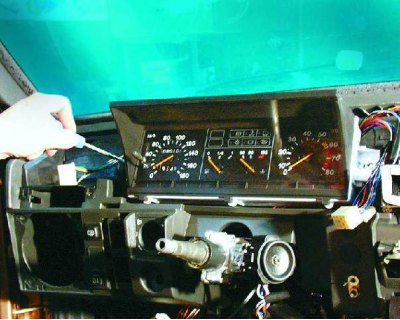
40. Remove the connector from the rear fog light switch.


41. Remove the two instrument cluster mounting screws.
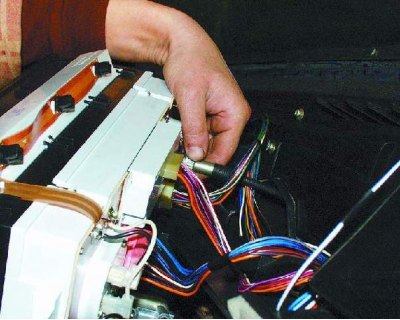
41. Remove the two instrument cluster mounting screws.


42. Remove the instrument cluster from the panel, unscrew the mounting nut and disconnect the cable from the speedometer.

Warning: Disconnect the connectors with the wires of additional equipment, if any, installed on your vehicle.
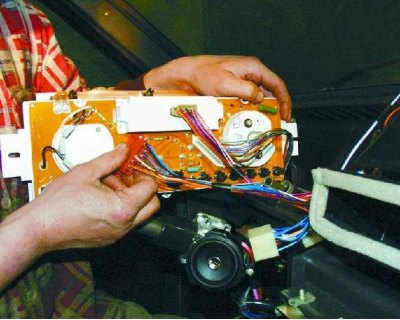

Warning: Disconnect the connectors with the wires of additional equipment, if any, installed on…


43. Disconnect the red wire connector from the instrument cluster.
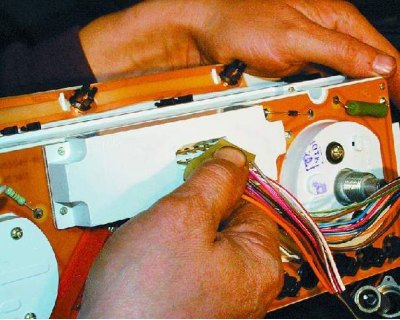
43. Disconnect the red wire connector from the instrument cluster.


44. Disconnect the wiring harness from the on-board control system.
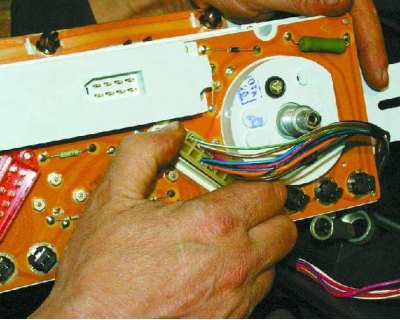
44. Disconnect the wiring harness from the on-board control system.


45. Disconnect the white wiring harness from the instrument cluster.
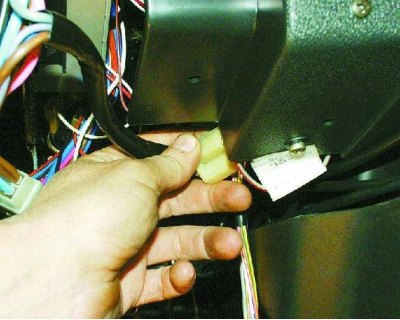
45. Disconnect the white wiring harness from the instrument cluster.


46. Disconnect the ignition switch connector with wires from the ignition relay.
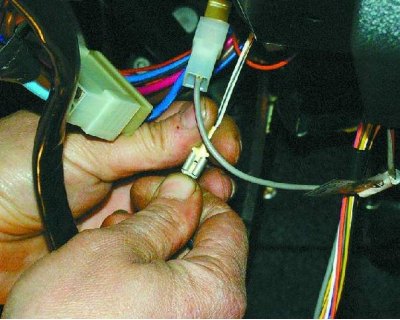
46. Disconnect the ignition switch connector with wires from the ignition relay.


47. Disconnect the ignition relay ground wire.
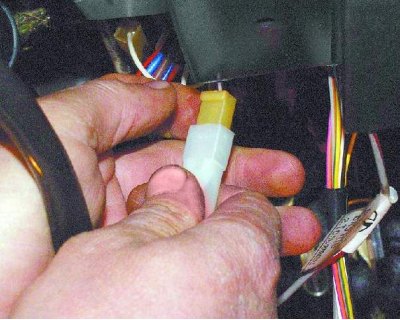
47. Disconnect the ignition relay ground wire.


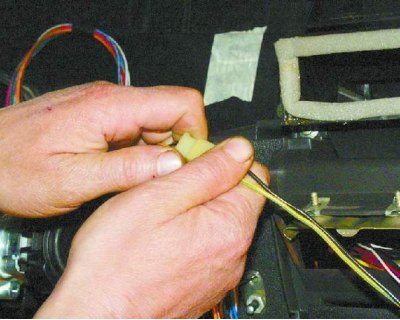
48. Disconnect the connector with the wires of the air damper opening indicator lamp.
48. Disconnect the connector with the wires of the air damper opening indicator lamp.


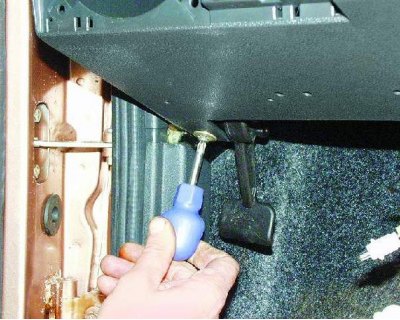
49. Remove one screw from the lower instrument panel mount on both sides.
49. Remove one screw from the lower instrument panel mount on both sides.


50. Disconnect the connector with the wires of the glove compartment light.
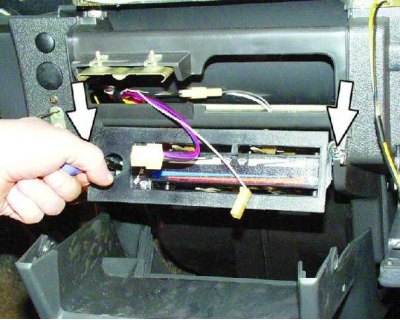
50. Disconnect the connector with the wires of the glove compartment light.


51. Loosen the two mounting screws and lower the heater control panel down.
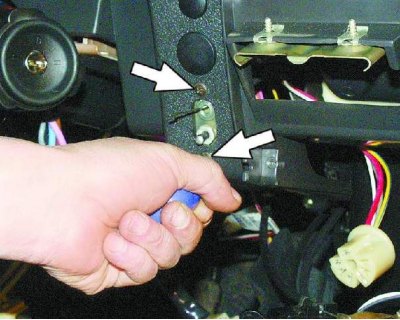
51. Loosen the two mounting screws and lower the heater control panel down.


52. Remove the two screws securing the air damper guide rod to the instrument panel.
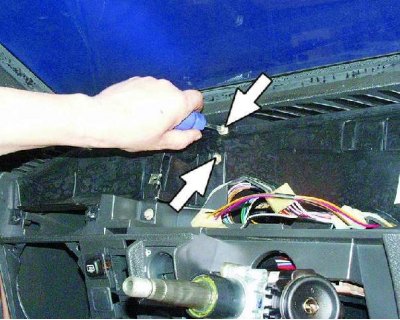
52. Remove the two screws securing the air damper guide rod to the instrument panel.


53. Unscrew the two screws of the upper instrument panel mount on both sides.
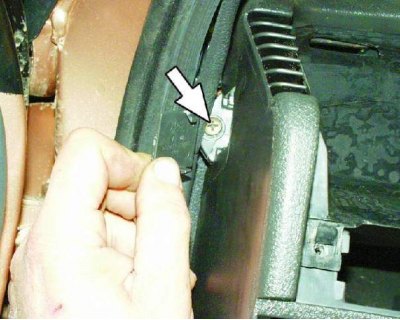
53. Unscrew the two screws of the upper instrument panel mount on both sides.


54. Use a screwdriver to pry up one plug on each side of the instrument panel. Remove one screw from the side mounting of the instrument panel on each side of the panel.
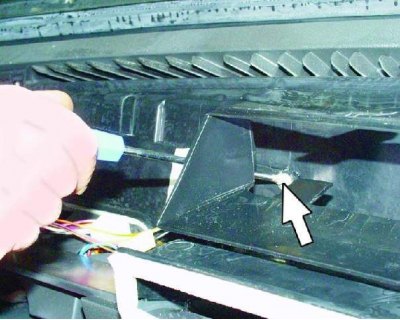
54. Use a screwdriver to pry up one plug on each side of the instrument panel. Remove one screw…


55. Loosen the screw of the central fastening of the instrument panel.
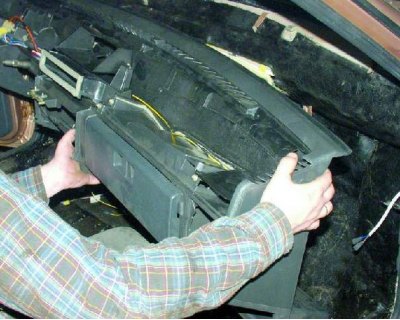
55. Loosen the screw of the central fastening of the instrument panel.


The material is posted on the website VAZBOOK.RU

56. Remove the instrument panel.

Install the panel in reverse order.

After installation, check the operation of switches and devices to ensure that they are connected correctly.


This article is available at russian, bulgarian, belarusian, ukrainian, serbian, croatian, romanian, polish, slovak, hungarian
The text was reviewed by the specialist: Grigory Vologodtsev

Share with friends:

Previous articles
VAZ-21099: Equipment and devices
Next articles

Windscreen wiper assembly and installation
Windscreen wiper defect detection
Disassembling the windshield wiper
Windscreen Wiper — Removal
Heater resistor
Instrument panel (low)
Electrical diagram of the VAZ-21099 car
Electrical diagram of the car VAZ-21099 Lux

More articles from other manuals on VAZ cars:
➠ Removal and installation the instrument panel VAZ-1111 (1988-1996)
➠ Instrument panel — device and removal VAZ-2101 (1970-1983)
➠ Instrument panel VAZ-2105 (1979-2010)
➠ Instrument panel VAZ-2106 (1976-2006)
➠ Instrument panel — removal and installation VAZ-2107 (1982-2012)
Link in different formats to this page


Visitor comments

No comments yet


How much will 32 + 26 ?


VAZ-21099 (1990-2004) 
  • General information
  • Specifications
  • User manual
  • Maintenance
  • Car care
  • Troubleshooting
  • Power unit
  • Engine repair
  • Cooling and lubrication system
  • Power and exhaust system
  • Transmission
  • Car gearbox
  • Clutch and drive shafts
  • Chassis
  • Car suspension
  • Steering
  • Brake system
  • Body
  • Exterior
  • Interior
  • Doors and locks
  • Electrical equipment
  • Equipment and devices
  • Lighting and signaling
  • Engine electrics
  • Ignition system


VAZ-2109 (1984-1997) 
  • General information
  • Vehicle operation
  • Vehicle device
  • Power unit
  • Engine repair
  • Cooling and lubrication system
  • Supply system
  • Transmission
  • Clutch
  • Gearbox and drive
  • Chassis
  • Car suspension
  • Steering
  • Brake system
  • Body
  • Body elements
  • Electrical equipment
  • Engine electrics
  • Equipment and devices


VAZ-2108 (1984-2003) 
  • General information
  • Introduction to guide
  • Power unit
  • Engine repair
  • Cooling and lubrication system
  • Power and exhaust system
  • Transmission
  • Clutch and drive shafts
  • Car gearbox
  • Chassis
  • Front suspension
  • Rear suspension
  • Steering
  • Brake system
  • Body
  • Exterior
  • Interior
  • Doors and glass
  • Electrical equipment
  • Equipment and devices
  • Engine electrics
  • Ignition system


VAZbook.ru © 2017 · Mobile version · Contact with administration · Sitemap: EN BG BY UA RS HR RO PL SK HU · Site search · News and articles VAZ-1111 · VAZ-11113 · VAZ-2101 · VAZ-21011 · VAZ-2104 · VAZ-2105 · VAZ-21051 · VAZ-2106 · VAZ-21061 · VAZ-2107 · VAZ-21099 · VAZ-2109 · VAZ-2108 · VAZ-2110 · VAZ-2112 · VAZ-2114 · VAZ-2115 · VAZ-2121 · VAZ-21213 · VAZ-21214 ·
The site stores technical data using cookies to improve the service.