
English Русский
Български
Беларускі
Український
Српски
Hrvatski
Română
Polski
Slovenský
Magyar
| Articles | Contacts | Sitemap |   
Repair and maintenance Lada Repair and maintenance Mazda Repair and maintenance Mitsubishi Repair and maintenance Toyota Repair and maintenance Land Rover Repair and maintenance Hyundai Repair and maintenance Nissan
VAZbook.ru


Main     1111   2101   2105   2106   2107   2109   2110   2115   2121  
VAZ-1111 (1988-1996) VAZ-11113 (1996-2003)
  • Main
  • «Oka»
  • VAZ-11113
  • General information
  • Maintenance
  • Replacing the camshaft drive belt

Replacing the camshaft drive belt (VAZ-11113)

            0

You will need:
  • key "17"
  • wheel wrench
  • large screwdriver or mounting blade

Before you start working disconnect the wire from the "–" terminal of the battery; remove the alternator drive belt (see subsection 3.14.) and the front camshaft drive belt cover (see subsection 3.15.); set the piston of the first cylinder to the TDC position (see subsection 3.15.).

Replace the camshaft drive belt if, upon inspection, you find:
  • traces of oil on any surface of the belt;
  • signs of wear on the toothed surface, as well as cracks, cuts, folds or separation of the fabric from the rubber;
  • cracks, folds, depressions or bulges on the outer surface of the belt;
  • fraying or delamination on the end surfaces of the belt.

Attention! Be sure to replace the belt every 60,000 km regardless of the condition of the belt, otherwise problems may occur on the road.

Attention! Be sure to replace the belt every 60,000 km regardless of the condition of the belt,…


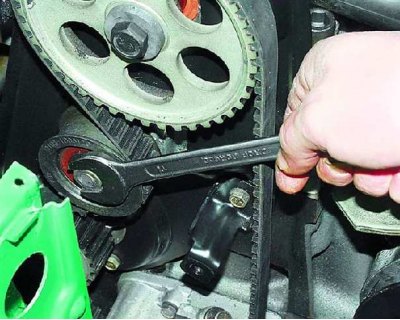
1. Loosen the tension roller mounting nut.
1. Loosen the tension roller mounting nut.


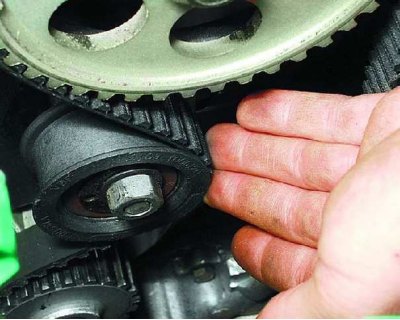
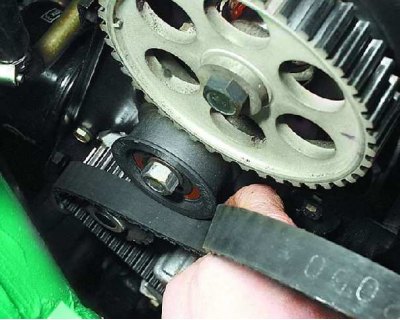
2. Turn the tensioner roller to relieve belt tension.


2. Turn the tensioner roller to relieve belt tension.


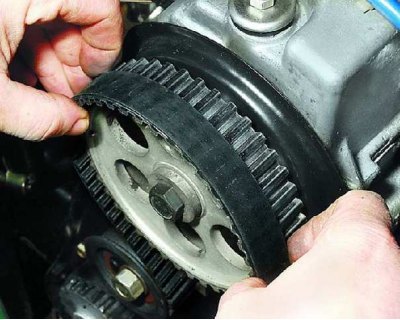
3. Remove the belt from the camshaft pulley, tensioner pulley and water pump sprocket.
3. Remove the belt from the camshaft pulley, tensioner pulley and water pump sprocket.


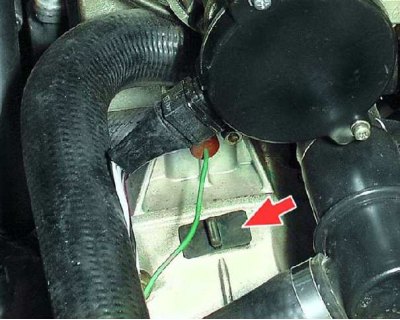
4. Secure the crankshaft from turning to unscrew the generator drive pulley mounting bolt. To do this, remove the plug from the clutch housing hatch and...
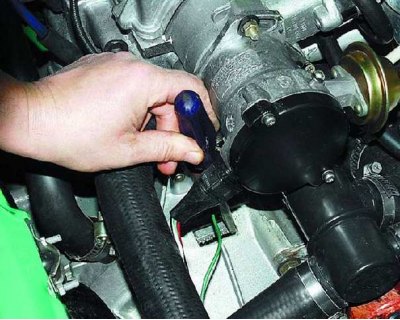
4. Secure the crankshaft from turning to unscrew the generator drive pulley mounting bolt. To do…


The information can be read on the website [vazbook]

5....using a pry bar or large screwdriver, hold the crankshaft from turning by the flywheel teeth (performed by an assistant).
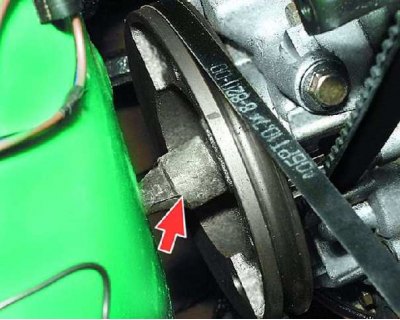

5....using a pry bar or large screwdriver, hold the crankshaft from turning by the flywheel teeth…


6. Remove the generator drive pulley mounting bolt from the crankshaft and...
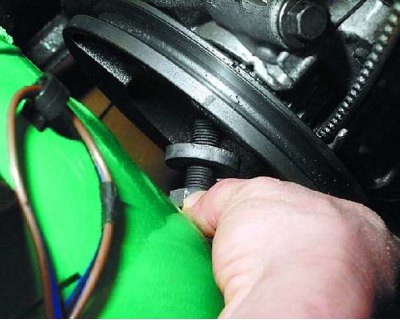
6. Remove the generator drive pulley mounting bolt from the crankshaft and...


7....take it out together with the washer.
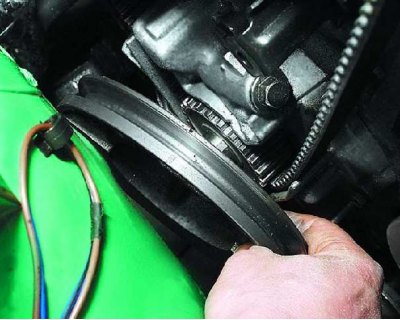
7....take it out together with the washer.


8. Remove the generator drive pulley from the crankshaft.
8. Remove the generator drive pulley from the crankshaft.


9. Remove the camshaft drive belt from the crankshaft sprocket.
9. Remove the camshaft drive belt from the crankshaft sprocket.


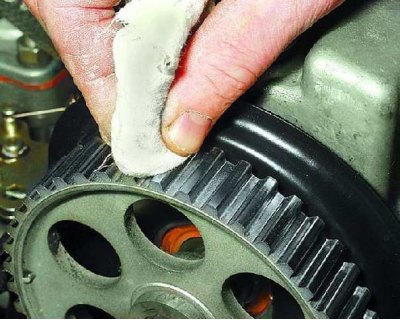
10. Before installing a new belt, clean the pulleys and tension roller from dirt and grease, degrease them with white spirit.
10. Before installing a new belt, clean the pulleys and tension roller from dirt and grease,…


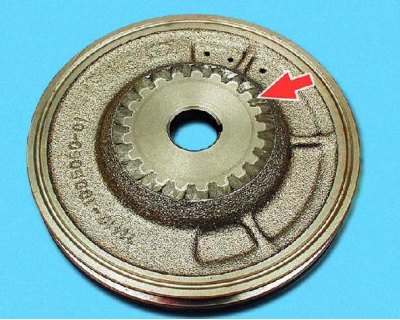
11. Install the camshaft drive belt in the reverse order of removal. Install the generator drive pulley with the protruding part of the hub toward the engine.
11. Install the camshaft drive belt in the reverse order of removal. Install the generator drive…


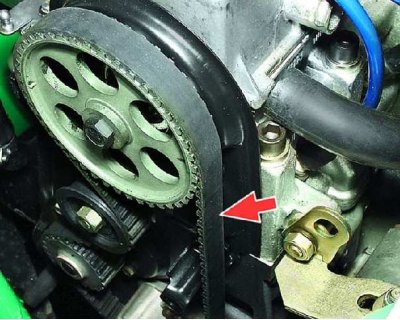
12. When installing the belt, ensure that its leading branch is tensioned. After installing the belt, adjust its tension (see subsection 3.16.).


This article is available at russian, bulgarian, belarusian, ukrainian, serbian, croatian, romanian, polish, slovak, hungarian
The text was reviewed by the specialist: Grigory Vologodtsev

Share with friends:

Previous articles
VAZ-11113: Maintenance
Next articles

Adjusting the tension of the camshaft drive belt
Setting the piston of the first cylinder to the TDC position of the compression stroke
Replacing the alternator drive belt
Adjusting the alternator drive belt tension
Cleaning and flushing of crankcase ventilation system parts
Checking and replacing spark plugs
Setting the ignition timing
Checking the exhaust system
Gearbox oil change
Checking the protective covers of the hinges

More articles from other manuals on VAZ cars:
➠ Replacing the camshaft drive belt VAZ-21051 (1979-2010)
➠ Replacing the camshaft drive belt VAZ-2109 (1984-1997)
➠ Replacing the camshaft drive belt VAZ-2115 (1997-2012)
➠ Replacing the camshaft drive chain damper VAZ-21061 (1976-2006)
➠ Adjusting the tension and replacing the coolant pump drive belt VAZ-21214 (1994-2006)
Link in different formats to this page


Visitor comments

No comments yet


How much will 22 + 28 ?


VAZ-1111 (1988-1996) 
  • General information
  • Vehicle description
  • Vehicle device
  • Vehicle operation
  • Maintenance
  • Applications
  • Power unit
  • Engine repair
  • Cooling system
  • Lubrication system
  • Supply system
  • Transmission
  • Clutch
  • Transmission
  • Chassis
  • Front suspension and wheels
  • Rear suspension
  • Steering
  • Brake system
  • Body
  • Exterior
  • Interior
  • Electrical equipment
  • Engine electrics
  • Equipment and devices


VAZ-11113 (1996-2003) 
  • General information
  • Introduction to the guide
  • User manual
  • Maintenance
  • Power unit
  • Engine repair
  • Cooling and lubrication system
  • Fuel system
  • Exhaust system
  • Transmission
  • Car gearbox
  • Clutch and drive shafts
  • Chassis
  • Front suspension
  • Rear suspension
  • Steering
  • Brake system
  • Body
  • Exterior
  • Interior
  • Doors and locks
  • Electrical equipment
  • Equipment and devices
  • Lighting and signaling
  • Engine electrics
  • Ignition system


VAZbook.ru © 2017 · Mobile version · Contact with administration · Sitemap: EN BG BY UA RS HR RO PL SK HU · Site search · News and articles VAZ-1111 · VAZ-11113 · VAZ-2101 · VAZ-21011 · VAZ-2104 · VAZ-2105 · VAZ-21051 · VAZ-2106 · VAZ-21061 · VAZ-2107 · VAZ-21099 · VAZ-2109 · VAZ-2108 · VAZ-2110 · VAZ-2112 · VAZ-2114 · VAZ-2115 · VAZ-2121 · VAZ-21213 · VAZ-21214 ·
The site stores technical data using cookies to improve the service.